
On this page
- What changed with Facebook Messenger on Google Business Profile?
- What is an m.me link and why did Google add one to my profile?
- How do you add Facebook Messenger to your Google Business Profile?
- Messenger vs WhatsApp vs text: which chat option should you use?
- Does adding Messenger help your Google Maps ranking?
- What are the risks of Google auto-adding Messenger links?
- What should you do now?
- Final thoughts
- Frequently asked questions
- Can I add Facebook Messenger to my Google Business Profile?
- Why did Google add an m.me link to my profile?
- What is an m.me link?
- Can I have WhatsApp, text and Messenger on the same profile?
- Does a chat button improve my local ranking?
- Why don’t I see the Chat option on my profile?
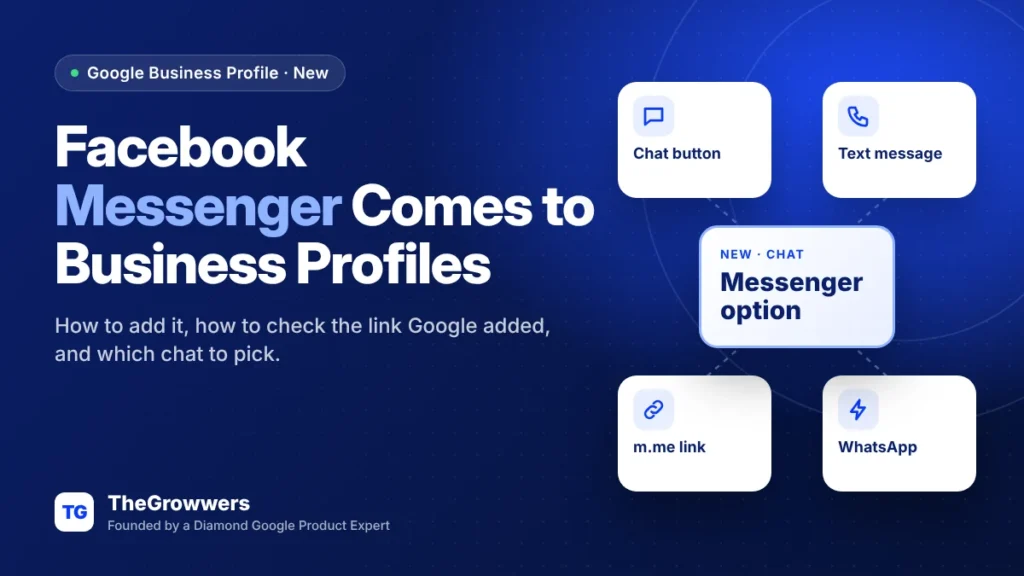
Google Business Profile now lets you add Facebook Messenger as a chat option on your listing, right next to WhatsApp and text messaging. It started with Google quietly adding m.me links to profiles in late October. As of November 16, 2026, owners are reporting they can add Messenger themselves under the Chat setting.
So if you got one of those “we updated your profile” emails and wondered what Google just did to your listing, this one’s for you. Here’s how Facebook Messenger on Google Business Profile works, and what to check.
And if you run your business inbox out of Facebook anyway, it might be the easiest chat option you can turn on.
Last updated: November 2026
Key takeaways
- Facebook Messenger is now showing up as an option under Chat when you edit your Business Profile (reported Nov 16, 2026).
- Before that, Google was adding Messenger m.me links to profiles automatically and emailing owners about it (Oct 28, 2026).
- Google’s own Chat help page still only documents WhatsApp and Text message, and says chat is limited to select regions.
- Check your profile now: confirm any auto-added link points to your Facebook Page, and that someone actually answers it.
What changed with Facebook Messenger on Google Business Profile?
Short version: Messenger went from something Google added for you to something you can add yourself. On November 16, 2026, Search Engine Roundtable reported that Facebook Messenger is now available under the Chat feature in Google Business Profile. Barry Schwartz confirmed he sees it in his own account.
Here’s the timeline.
| Date | What happened | Source |
|---|---|---|
| Oct 28, 2026 | Google emails businesses saying it is automatically adding Facebook Messenger m.me links to their profiles | Search Engine Roundtable |
| Nov 16, 2026 | Owners can now pick Facebook Messenger manually under Chat when editing the profile | Search Engine Roundtable |
| Today | Google’s Chat help page still lists only WhatsApp and Text message | Google Business Profile Help |
Barry also pointed out that Google Ads has had Messenger as an option for a while. So this is Google bringing Business Profiles in line with what advertisers already had.
What is an m.me link and why did Google add one to my profile?
An m.me link is Meta’s short URL that opens a direct Messenger conversation with a Facebook Page. When a customer taps it, they land in a chat with your Page instead of a phone call or a website.
In late October, Google started adding these links to profiles on its own and emailing owners to say so, per Search Engine Roundtable’s Oct 28 report. Barry noted he had not seen Google add m.me links to profiles before.
Google didn’t explain where it got the links from. Our read? It’s probably matching profiles to Facebook Pages it finds on the web. Which is usually right. Usually.
That’s the part worth checking. Google auto-updates profile details all the time (we covered how that works in our post on Google Business Profile suggested edits). An automatic link to the wrong Page, an old location’s Page, or a Page nobody monitors is worse than no link at all.
How do you add Facebook Messenger to your Google Business Profile?
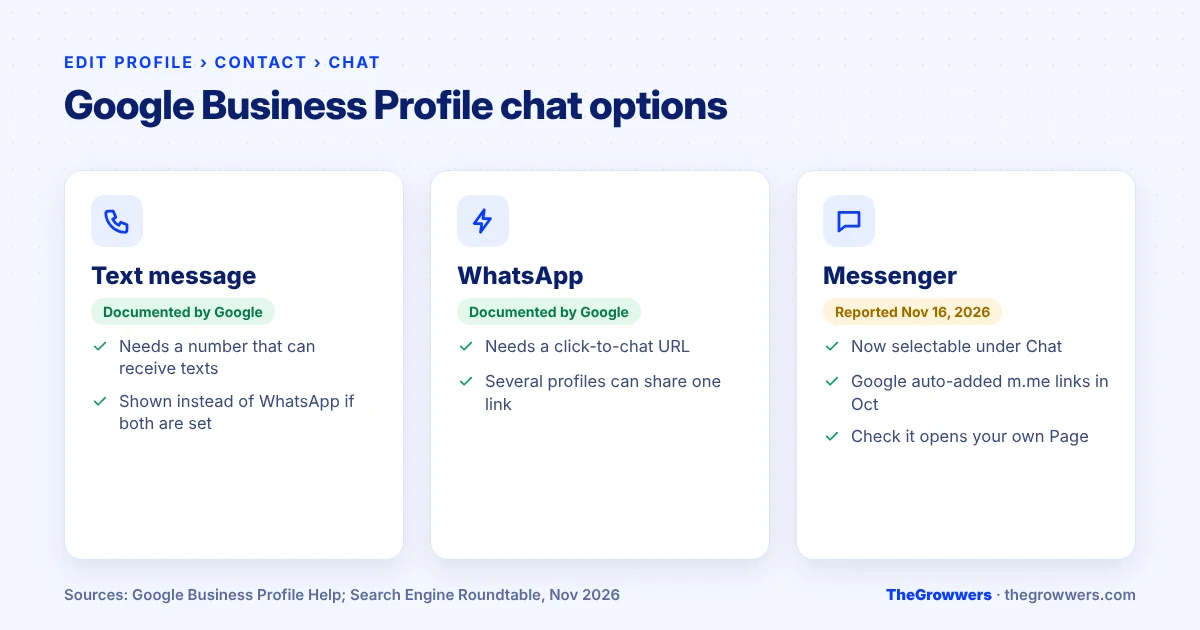
You add it in the same Chat field Google uses for WhatsApp and text: Edit profile, then Contact, then Chat. Google’s help page documents this path for WhatsApp and Text message. Based on the reports, Messenger now appears in that same Chat dropdown for profiles that have it.
- Sign in to the Google Account that owns or manages the profile and open your Business Profile.
- Click Edit profile, then Contact.
- Next to Chat, click the edit icon.
- Open the Chat dropdown and look for Facebook Messenger (alongside WhatsApp and Text message).
- Add your Messenger link for your Facebook Page.
- Click Save, then open your profile on a phone and tap the chat button to make sure it opens the right Page.
One warning before you start. Google’s Chat help page says chat options are only available in select regions and might not be available for your profile. If you don’t see Messenger in the dropdown, that’s not you doing it wrong. It just hasn’t reached your profile yet.
And you need a claimed and verified profile. Unverified profiles don’t get chat at all.
Messenger vs WhatsApp vs text: which chat option should you use?
Pick the channel your team already answers fastest. The button is only worth having if replies come quickly, so the “best” option is the inbox someone is already sitting in all day.
| Chat option | What Google says | Good fit if… |
|---|---|---|
| Text message | Documented. Needs a phone number that can receive texts. If you add both text and WhatsApp, only text is shown. | Your front desk or mobile already handles texts |
| Documented. Needs a WhatsApp click-to-chat URL. Several profiles can share one link. | Your customers already WhatsApp you (common outside the US) | |
| Facebook Messenger | Not in the help page yet. Reported available under Chat since Nov 16, 2026. | Your Facebook Page inbox is already where leads land |
That “only text is shown” rule matters. Google’s help page says if you add both WhatsApp and text, customers only see the text option. Google hasn’t said yet how Messenger fits into that priority. So if you set more than one, check what your live profile actually shows.
TheGrowwers recommends one chat channel per profile, the one with the fastest human reply. Not three half-watched inboxes.
Does adding Messenger help your Google Maps ranking?
No, there’s no sign that a chat link changes where you rank. Google hasn’t said anything like that, and chat is a contact option, not a ranking factor. What it can change is how many people who already found you actually reach out.
Think about it from the customer’s side. They’re on your profile at 9pm. They don’t want to call. A chat button gives them a way to ask “do you do X” without picking up the phone.
Google even points you to the numbers: the Chat help page tells you to check your chat metrics in your performance report, where Messages counts the number of different conversations. We break down that report in our guide to every Google Business Profile performance metric.
If you also want to see what those chats turn into on your website, pair this with UTM tracking on your Business Profile links.
What are the risks of Google auto-adding Messenger links?
The big one is a link that goes to the wrong place or to an inbox nobody checks. Customers tap, send a message, hear nothing. That’s a lost lead, and it can turn into a bad review.
Here’s what to look out for:
- Wrong Page. Franchises, multi-location brands and businesses that rebranded often have more than one Facebook Page floating around.
- Dead inbox. A Page set up years ago by an old marketing person, never opened since.
- Personal profile confusion. Messenger should go to the business Page, not the owner’s personal account.
- Two channels, one shown. You set WhatsApp, Google shows something else. Always check the live profile.
Also worth knowing: Google is pushing chat hard right now. Google Business Profile messaging came back with AI features recently (see our post on Google Business Profile AI messaging). Messenger is another piece of the same push. Expect more of these “we updated your profile” emails.
What should you do now?
- Search your inbox for any Google email about a Messenger or m.me update to your profile.
- Open your profile, go to Edit profile, then Contact, and look at the Chat field.
- If a Messenger link is there, tap it on your phone. Make sure it opens your current business Page.
- Decide on one chat channel your team will answer fast, and remove or change the others.
- Set up notifications for that inbox so messages don’t sit for days.
- Check the Messages number in your performance report after a few weeks.
Final thoughts
This is a small feature. But it’s the kind of small that shows up on every profile, so it’s worth five minutes today.
Check the link. Check the inbox. Keep one channel you’ll actually answer. Facebook Messenger on Google Business Profile is only useful if someone replies.
If your profile has bigger problems (missing chat options, odd auto-edits, a suspension), our local SEO team can take a look. Or just book a free consultation.
Frequently asked questions
Can I add Facebook Messenger to my Google Business Profile?
Yes, if it’s available for your profile. Since November 16, 2026, owners report seeing Facebook Messenger as an option under Chat when they edit the profile (Edit profile, then Contact, then Chat). Google says chat options are limited to select regions, so not every profile has it yet. You also need a claimed and verified profile.
Why did Google add an m.me link to my profile?
Google started adding Facebook Messenger m.me links to profiles automatically in late October 2026 and emailed owners about it. Google hasn’t explained how it picks the link. Open your profile and tap the chat button to confirm it opens your current business Page, then change or remove it in the Chat field if it’s wrong.
What is an m.me link?
An m.me link is Meta’s short URL that opens a Messenger conversation directly with a Facebook Page. On a Business Profile, it means a customer tapping chat lands in your Page’s Messenger inbox. Make sure whoever manages that Page inbox knows leads from Google will start showing up there.
Can I have WhatsApp, text and Messenger on the same profile?
You may be able to set more than one, but customers won’t necessarily see all of them. Google’s help page says that if you add both WhatsApp and text message, only text message is shown. Google hasn’t documented how Messenger fits in, so check your live profile on a phone after saving.
Does a chat button improve my local ranking?
There’s no evidence it does, and Google hasn’t said so. Chat is a contact option. What it can improve is how many people who already found your profile reach out, especially people who don’t want to call. Track that through the Messages metric in your performance report.
Why don’t I see the Chat option on my profile?
Google says chat options are only available in select regions and might not be available for your profile. Chat also requires a claimed and verified profile. If you’re verified and still don’t see it, it most likely hasn’t rolled out to your profile yet. Check again in a few weeks.