
On this page
- What is happening with Google Business Profile booking links?
- Why does a broken booking button matter so much?
- What does Google require from a booking link?
- Is a Contact page good enough as a booking link?
- How do you check and fix your booking link?
- Can you remove a booking link you didn’t add?
- How many booking links can a profile have?
- What should you do this week?
- Final thoughts
- Frequently asked questions
- Why did a “Book online” button appear on my Google Business Profile?
- Why does my Google booking button show a 500 error?
- Can I use my contact page as my Google booking link?
- How do I remove a third-party booking link from my profile?
- Does Google check my booking link?
- Do I need a verified profile to add a booking link?
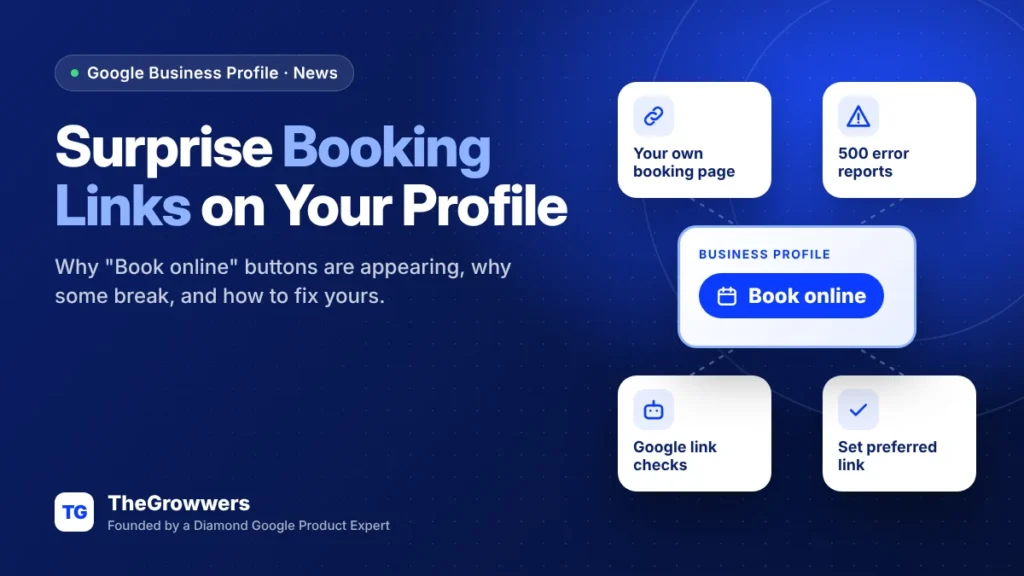
Google appears to be adding “Book online” buttons to some Business Profiles, and some of those Google Business Profile booking links have been sending customers to a 500 error page. If you run a service business, open your profile today, check what the booking button does, and set your own booking link so Google isn’t guessing.
Barry Schwartz at Search Engine Roundtable reported on November 9, 2026 that a booking link showed up on his own company’s profile, and that Brandon Schmidt, Joy Hawkins and Syed Amir were seeing the same thing on more businesses. Some of those links pointed to Google’s own “maps/reserve” flow. And some of those broke.
That’s a lost lead. Someone wanted to book you, tapped the button, and got an error.
Here’s the honest version: nobody outside Google knows exactly why these buttons are appearing. But you don’t need to know why to fix your own profile. You need ten minutes.
Last updated: November 2026
Key takeaways
- Some profiles are showing a “Book online” or “Schedule” button the owner never set up, per reports from Nov 2026.
- Where the button goes to Google’s reserve page with no booking software behind it, people reported 500 errors.
- Google says booking links must lead to a page where the customer can actually complete the booking.
- Google’s crawler checks your links (at most daily) and can remove ones that return errors or block bots.
- You can’t delete a third-party booking link yourself. You ask the provider, who has 5 business days to remove it.
What is happening with Google Business Profile booking links?
Some Business Profiles are getting a “Book online” button without the owner setting up a booking partner. When that button routes through Google’s own reserve page, it has returned a 500 error in some cases. When the business has its own link or booking software set up, the button works.
The details from the Search Engine Roundtable report:
- Brandon Schmidt spotted “Book Online” links on a home care business with no booking software connected to its profile, and on a home services profile.
- Joy Hawkins shared a “Schedule” button that served a 500 error when she clicked it.
- Barry tested his own button and it went straight to his company’s contact and scheduling page. So it may have been a temporary bug.
- Syed Amir said that just adding a website’s Contact page in the Booking link section was now triggering the “Book Online” button. Before, that seemed to need a setup through Google’s booking partners (Reserve with Google).
So two things are mixed together here. A button appearing on its own. And a button that’s easier to trigger than it used to be.
Why does a broken booking button matter so much?
Because it sits right on your profile, next to Call and Directions, and it’s aimed at the people closest to buying. A broken button doesn’t just lose that booking. It makes your business look broken.
And there’s a second risk. Google’s business links policy says its crawlers check your links and that links which can’t be verified “may be removed”. So a link that errors out isn’t only bad for customers, it can also get pulled.
If you track bookings from your profile (and you should, see our Google Business Profile UTM tracking guide), a dead button also quietly kills that data. You’d see clicks fall and not know why.
What does Google require from a booking link?
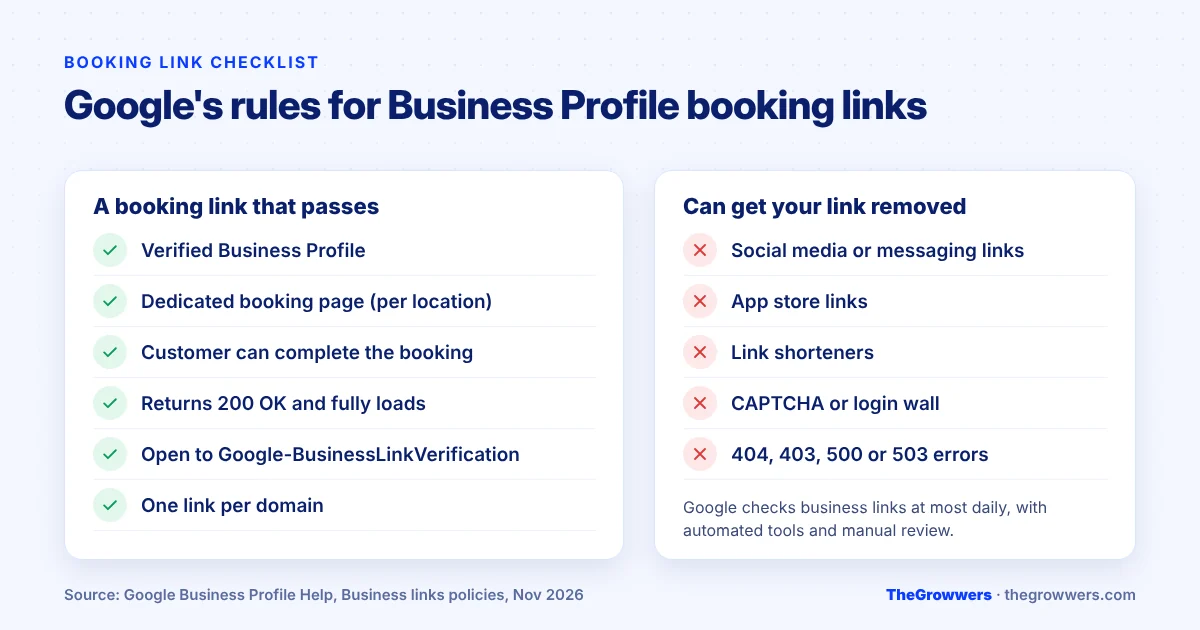
Google says a booking link must go to a dedicated page for your business (the right location, if you have several), must let the customer actually complete the booking, must load for Google’s crawler, and must return a working status code. Social media, messaging links, app store links and link shorteners aren’t allowed.
Here’s the full list from Google’s Business links policies & guidelines, in plain English:
| Rule | What it means for you |
|---|---|
| Verified profile | You can’t add a link until the business is verified. |
| Dedicated landing page | Link to your booking page, not your homepage. Multi-location? Each location links to its own page. |
| Direct action completion | A booking link has to let people book. Not just read about booking. |
| Not allowed | Social media sites, messaging links, app store links, link shorteners. |
| Crawlable | No CAPTCHA, login wall, rate limiting, IP blocking or cloaking for Google’s crawler (user agent Google-BusinessLinkVerification). |
| Working status code | Must return 200 OK. Not 404, 403, 500 or 503. |
| Fully loads | Images, CSS and JavaScript must load. No geoblocking. |
| One link per domain | If a provider already added a link on the same domain, yours may be rejected. |
One detail people miss: Google says these link verification crawlers don’t follow robots.txt rules. So a robots.txt rule won’t stop the check, but a security plugin or firewall that blocks bots can make your link look broken to Google.
Is a Contact page good enough as a booking link?
It may trigger the button, based on what Syed Amir reported. But Google’s own rule says a booking link must let customers complete the booking. A contact form that just says “we’ll get back to you” is a stretch.
Our read? If you have real online scheduling (a calendar, a booking widget, a “request a time” form that books a slot), use that page. If you only have a contact form, you can still use it, just know it’s the weakest version and the kind of link Google says it may remove when it isn’t compliant.
TheGrowwers recommends a simple booking page on your own site over leaving the slot empty and letting Google or a third party fill it.
How do you check and fix your booking link?
Search your business name while logged in to the account that manages the profile, open the Booking section, and look at what’s listed. Then test the button yourself, on a phone, logged out. That’s the view your customers get.
According to Google’s Manage your local business links help page:
- Go to your Business Profile.
- On Google Search, select Booking. On Google Maps, select Edit profile and then the transaction type.
- Select Add link (or Add another link if links already exist).
- Enter your booking page URL and select Save.
- If you have more than one link, select Set preferred link and pick yours so it shows as “Business preferred”.
Then test it. Seriously. Open your profile in a private browser window, tap the button, and make sure you land on a page where a person can book.
Can you remove a booking link you didn’t add?
Not directly. Google says you can’t manually delete third-party booking or reservation providers from your profile settings. You have to contact the provider through its opt-out link, support form or account portal. Providers must process opt-out requests within 5 business days.
If the provider doesn’t remove it within 5 business days, Google’s help page says to report a third-party violation. Keep a screenshot and the date you asked, so you have something to show.
Food ordering is different, by the way. Third-party food ordering providers can be hidden from your profile yourself (pickup, delivery or both). Booking can’t.
How many booking links can a profile have?
Google’s help pages don’t fully agree. The links help page says up to 10 links per category, while the business links policy says a maximum of 20 links per transaction type. Either way, you have more slots than you need. One good link set as “Business preferred” beats five random ones.
Also remember the one-link-per-domain rule. If a booking provider already added a link on a domain, a second link on that same domain may not be accepted.
What should you do this week?
- Open your profile on a phone and look for a Book, Schedule or Reserve button.
- Tap it. Note where it goes and whether it loads.
- If it errors out or goes somewhere wrong, add your own booking link and set it as preferred.
- If a provider you don’t use added the link, contact them to opt out and note the date.
- Ask your web person whether your firewall or security plugin blocks bots on the booking page.
- Recheck in a week. Google’s crawler checks links at most daily, so changes can take a bit.
While you’re in there, check the rest of the profile too. Google can change your details based on user suggestions (we covered the 4-day rule for suggested edits), so a quick review never hurts.
Final thoughts
A Google Business Profile booking link is one of the few buttons that goes straight to money. Right now some of them are showing up on their own, and a few have been broken. Don’t wait to find out from a customer.
Check it. Own it. Test it again next week.
If your profile has bigger problems than one button, our local SEO team can audit the whole thing, or you can book a free consultation and we’ll take a look.
Frequently asked questions
Why did a “Book online” button appear on my Google Business Profile?
Google hasn’t explained it publicly. Reports from November 2026 show booking buttons appearing on some profiles without a booking partner set up, and adding a Contact page in the Booking link field may now trigger the button. Check your profile’s Booking section to see which link is listed and who added it.
Why does my Google booking button show a 500 error?
In the reported cases, the broken buttons pointed to Google’s own reserve page for businesses without booking software. Profiles with their own link worked. The fix is to add your own booking URL in the Booking section, set it as your preferred link, and test it on a phone.
Can I use my contact page as my Google booking link?
You can try, and it may trigger the button. But Google’s policy says booking links must let customers complete the booking. A real scheduling page is the safer choice, because Google says non-compliant links may be removed during its regular checks.
How do I remove a third-party booking link from my profile?
You can’t delete it from your profile settings. Contact the provider using its opt-out link, support form or account portal. Google says providers must process opt-outs within 5 business days. If they don’t, report a third-party violation to Google.
Does Google check my booking link?
Yes. Google says it checks business links at most daily, using automated tools and manual review. Its crawler (Google-BusinessLinkVerification) must be able to load the page fully and get a 200 OK response. CAPTCHAs, login walls or bot blocking can get the link removed.
Do I need a verified profile to add a booking link?
Yes. Google says your business must be verified before you can add a link. Once it is, and the link edit is approved, the change shows on Google Search and Maps. If verification is stuck, start there first.