
On this page
- What counts as a duplicate Google Business Profile?
- When are two profiles at one address not duplicates?
- How should departments set up their profiles?
- How should practitioners at a shared office set up profiles?
- When should you merge or remove a duplicate?
- What if Google wrongly marked your profile as a duplicate?
- What mistakes cause duplicate problems?
- What should you do now?
- Final thoughts
- Frequently asked questions
- Does Google allow two Business Profiles at the same address?
- Will I lose reviews if two profiles are merged?
- How do I merge duplicate Google Business Profiles?
- Can a doctor have a separate Business Profile from the clinic?
- Should I create a new profile when my business moves?
- What happens if I remove a duplicate profile?
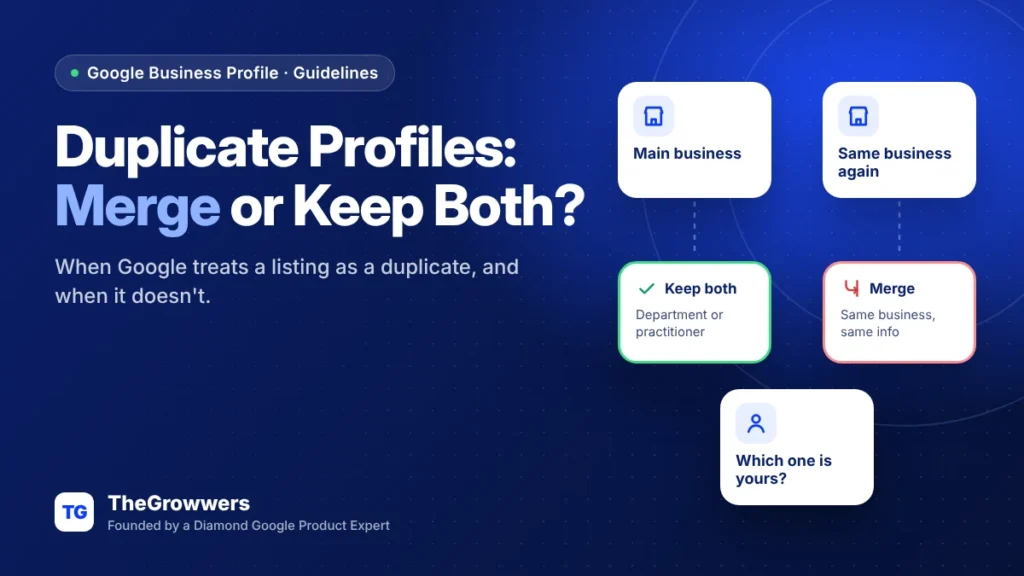
A duplicate Google Business Profile is a second profile for the same business, and Google hides duplicates from Search and Maps. But not every “duplicate” is one. A doctor inside a clinic, a service department inside a dealership, or two real businesses sharing an address can each be eligible for their own profile. Merging those is the mistake.
Google’s rule is short: one Business Profile for each business. The hard part is deciding what counts as “a business”. That’s what this guide is for.
Maybe you found an old listing from a previous owner. Maybe a staff member made a second profile “to fix things”. Or maybe Google marked your legit second location as a duplicate and you’re not sure what to do.
Key takeaways
- Google allows one Business Profile per business. Duplicates don’t show on Search or Maps.
- Departments and individual practitioners can be eligible for their own profiles. They aren’t automatically duplicates.
- When two profiles merge, reviews are combined but review replies may be lost.
- Moved? Update the address. Don’t create a new profile.
- Wrongly marked as duplicate? You can appeal, but you may need proof of permanent signage.
What counts as a duplicate Google Business Profile?
Google’s duplicate profiles help page lists three reasons a profile gets marked as a duplicate: a verified profile already exists for the same business, multiple profiles share the same address, or the same business has separate profiles for different services.
That third one catches a lot of people. A plumber who also does HVAC doesn’t get two profiles. Google says to list your services on one profile instead.
Same goes for moving. Google says not to create a new profile for the new location. Update the address on the existing one.
When are two profiles at one address not duplicates?
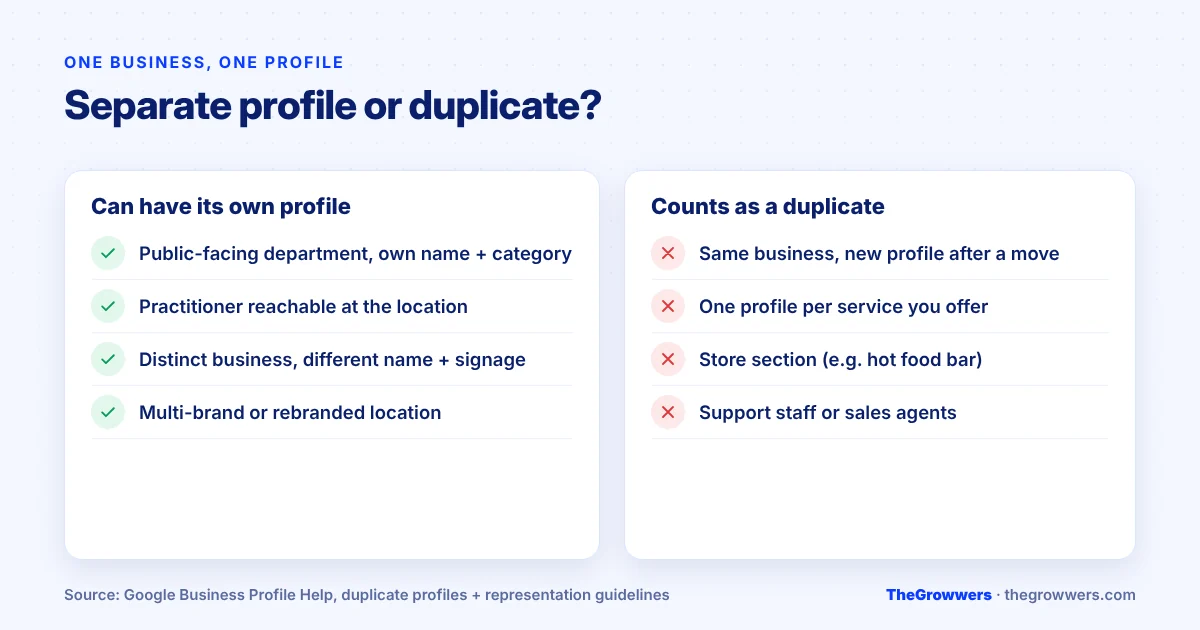
Multiple businesses at one address can each have a Business Profile if they’re distinct businesses with different names and clearly visible differences in signage, and each is eligible. Google says this includes multi-brand locations, rebranded businesses, departments within other businesses and individual practitioners at a shared location.
Here’s where it gets specific, from Google’s guidelines for representing your business:
| Situation | Separate profile allowed? | Google’s condition |
|---|---|---|
| Public-facing department (e.g. “Walmart Vision Center”) | Yes | Distinct name, distinct primary category, usually its own entrance |
| Section of a store (e.g. a hot food bar inside a grocery store) | No | Not a distinct entity |
| Doctor, dentist, lawyer, financial planner, insurance or real estate agent | Yes | Public-facing, contactable at the location during stated hours |
| Support staff | No | Not public-facing |
| One practitioner, several specialties | No | One profile, not one per specialization |
| Sales associates or lead-gen agents for corporations | No | Not individual practitioners |
So if Google flags your practitioner profile, that doesn’t mean you did something wrong. It means you need to prove it fits the rules.
How should departments set up their profiles?
Each department needs a name that’s different from the main business and from other departments, and its most representative category must also be different. Google’s examples: “Wells Fargo” uses Bank while “Wells Fargo Advisors” uses Financial Consultant, and “South Bay Toyota” uses Toyota Dealer while its service and parts department uses Auto Repair Shop.
This is where most department profiles go wrong. Same category as the main business? Google sees two profiles competing for the same thing at the same address. That reads as a duplicate.
Google also notes departments typically have a separate customer entrance, and their hours may differ from the main business. Those are the signals that make a department look like its own entity.
How should practitioners at a shared office set up profiles?
If several public-facing practitioners work at one location, the organization gets its own profile and each practitioner gets theirs. The practitioner profile name should include only the practitioner’s name, not the organization’s. A solo practitioner at a branded location should share one profile named “[brand]: [practitioner name]”.
Google’s example for the solo case is “Allstate: Joe Miller”, where Joe is the only public-facing agent at that Allstate-branded office.
Our read? Practitioner profiles are useful, but they’re easy to get wrong. A practitioner who left the practice still has a profile pointing at your address. Or the practice name gets added to every doctor’s profile. Both create confusion Google may try to “fix” for you.
When should you merge or remove a duplicate?
Merge when two profiles on Maps represent the same business with the same info. Remove when you created an extra profile yourself by mistake. Don’t merge when the profiles belong to distinct, eligible entities like a department or a practitioner, because merging combines them and that’s hard to undo.
| What you found | What Google says to do |
|---|---|
| Duplicate you created of your own verified business | Remove it from your Google Account. All content and linked managers on that profile are removed, so pick the right one |
| Two Maps profiles for the same business | Report a suggestion on Google Maps to request a merge. All merges are reviewed |
| Verified profile owned by someone else | Request ownership. The owner has 3 days to respond |
| Unverified profile for your business | Claim and verify it |
| Two distinct businesses wrongly merged or flagged | Contact support to appeal the duplicate status |
One warning before you request a merge. Google says when two profiles merge, their reviews are combined but replies to reviews may be lost. If you’ve spent time replying to reviews on both, screenshot those replies first.
What if Google wrongly marked your profile as a duplicate?
Contact Google Business Profile support to appeal the duplicate status. Google says both businesses must be eligible and distinct from each other. If both serve customers at the same location, you’ll be asked for evidence of permanent signage that clearly shows both businesses.
So before you contact support, take clear photos of the signage for each business. Permanent signage, not a banner or a sheet of paper taped to the door.
And check the basics. Different names? Different primary categories (for departments)? A practitioner who’s actually public-facing and reachable at that location? If any of those is a no, the “duplicate” label may be correct.
What mistakes cause duplicate problems?
Most duplicate issues come from good intentions: creating a fresh profile after a move, a new profile per service, a second profile because the first one got suspended, or merging a practitioner into the practice. Each one either hides a profile or deletes information you wanted to keep.
- New profile after a suspension. Google’s suspension help page says not to create a new profile for the same business. Appeal instead (here’s our guide to the new single-form GBP appeal).
- New profile after a move. Update the existing address and keep your reviews.
- One profile per service. Use the Services section of one profile.
- Removing the wrong one. Removing a profile removes its content and linked managers.
- Ignoring the pin and address. Sometimes an “extra” listing is really a pin problem. Our Google Maps pin guide covers that.
What should you do now?
- Search your business name and address on Google Maps and list every profile you find.
- For each one, ask: is this a separate, eligible entity (department, practitioner, distinct business) or the same business?
- Same business, created by you: remove the extra one from your account.
- Same business, on Maps: request a merge, after saving your review replies.
- Distinct entity flagged as duplicate: fix names and categories, photograph the signage, then contact support.
Final thoughts
A duplicate Google Business Profile hurts because one of the two simply won’t show. But the fix isn’t always “merge it”. Sometimes the right answer is to keep both and set them up properly.
TheGrowwers recommends deciding which kind of duplicate you have before you touch anything, because removals and merges aren’t easy to reverse. If you want a second opinion, our Local SEO team can audit your listings, or you can book a free consultation.
Frequently asked questions
Does Google allow two Business Profiles at the same address?
Yes, if they’re distinct, eligible businesses with different names and clearly visible differences in signage. Google includes multi-brand locations, departments within other businesses and individual practitioners at a shared location. If both serve customers at the same location and get flagged, you may need to show evidence of permanent signage for both.
Will I lose reviews if two profiles are merged?
You shouldn’t lose the reviews themselves. Google says that when two profiles merge, their reviews are combined. But replies to reviews may be lost. So if you’ve written owner responses on either profile, save copies before requesting the merge, in case you need to post them again.
How do I merge duplicate Google Business Profiles?
Report a suggestion on Google Maps to request the merge. Google reviews every merge request, and for it to succeed, both profiles must represent the same business and should have the same info. If the details on the two profiles differ, fix them first so the reviewer can see they’re the same business.
Can a doctor have a separate Business Profile from the clinic?
Yes, if the doctor is public-facing and can be contacted directly at the verified location during stated hours. When several practitioners work at one location, the clinic gets its own profile, and each practitioner’s profile name should include only their own name, not the clinic’s.
Should I create a new profile when my business moves?
No. Google says to update the address on your existing Business Profile instead of creating a new one. A new profile for the same business is a duplicate and won’t show on Search or Maps. Updating the existing one also keeps your reviews, photos and history in one place.
What happens if I remove a duplicate profile?
Google says removing a duplicate you created doesn’t affect your verified listing, but all content and linked managers on the removed profile are removed with it. Double-check you’re removing the extra profile, not the one with your reviews and history, before you confirm.