
On this page
- What is a service-area business on Google?
- What’s the difference between a service-area business and a storefront?
- Should a service-area business hide its address?
- Which addresses are not allowed on Google Business Profile?
- How many service areas can you add, and how far can they reach?
- How do you set or change your service area?
- What mistakes cause problems for service-area businesses?
- Final thoughts
- Frequently asked questions
- Can I use my home address for Google Business Profile?
- How many service areas can I add to my Business Profile?
- Does adding a city to my service area help me rank there?
- Can I list a virtual office on Google?
- What is a hybrid business on Google Maps?
- How long does a service area change take?
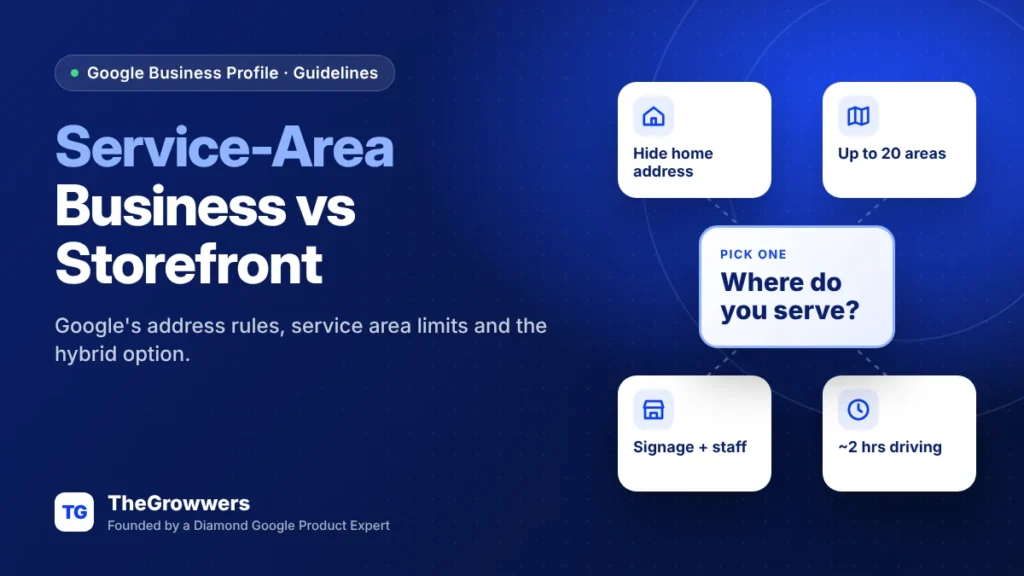
A service-area business is one that travels to customers and doesn’t serve them at its address, so Google says it should hide that address and set a service area instead. A storefront serves customers at a staffed location with signage. Pick the wrong setup and you’re breaking Google’s guidelines, which can put your profile at risk.
This is for plumbers, cleaners, roofers, mobile mechanics, dog groomers in vans. Anyone who works from home or a small office and goes to the customer.
And it’s also for the “hybrid” crowd: the auto shop that also does roadside, the bakery that also delivers. You get a slightly different set of rules.
Last updated: November 2026
Key takeaways
- If you don’t serve customers at your business address, Google says to remove (hide) that address from your Business Profile.
- Service-area businesses get one profile for the whole area, based on a central office or location.
- You can add up to 20 service areas (cities, postal codes or other areas), and the total area should stay within about 2 hours of driving time.
- Hybrid businesses can show a staffed storefront address and a service area, but only with permanent signage.
- Virtual offices, P.O. boxes and unstaffed co-working desks aren’t eligible addresses.
What is a service-area business on Google?
A service-area business visits or delivers to customers but doesn’t serve them at its business address. Think plumbers, cleaners and locksmiths. Google says these businesses should have one profile for the whole area, hide their address, and list the areas they serve instead of showing a pin on the map.
That’s straight from Google’s service area help page. The key line is blunt: if you don’t serve customers at your business address, remove your address from your Business Profile.
Google’s own example in its guidelines for representing your business: a plumber running the business from a home address should clear the address and keep only the service area.
Takeaway: “Where do customers meet us?” decides your profile type. Not “where is our mail delivered?”
What’s the difference between a service-area business and a storefront?
A storefront serves customers at its address during stated hours, with permanent signage and staff. A service-area business goes to the customer and hides its address. A hybrid business does both: it shows a staffed storefront address and also sets a service area.
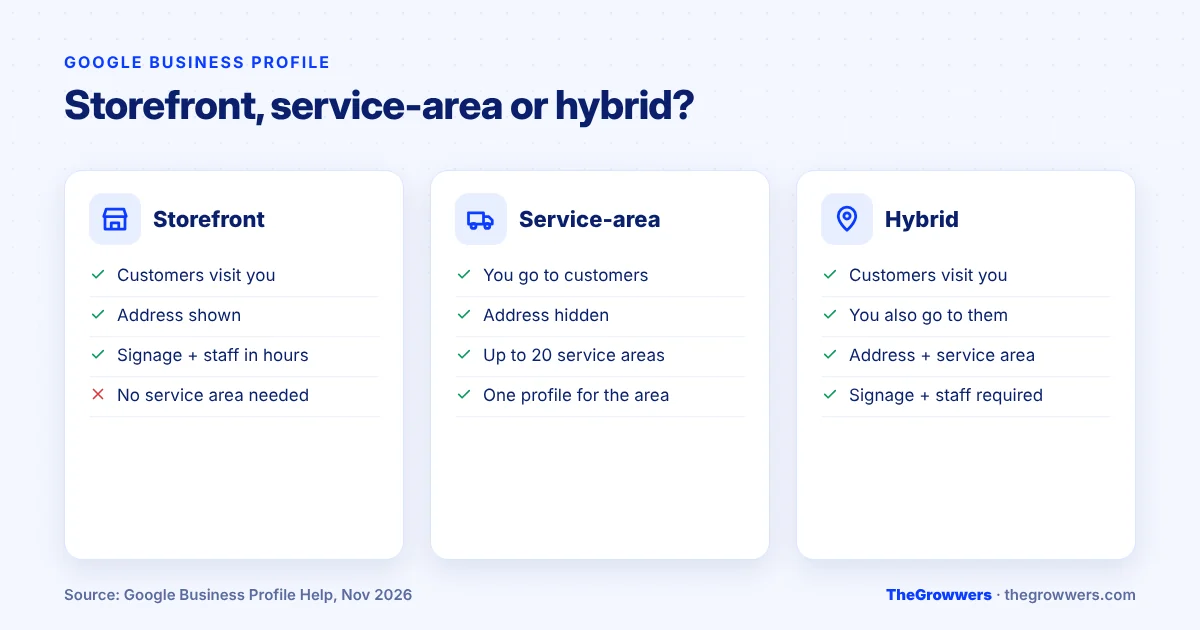
| Storefront | Service-area business | Hybrid | |
|---|---|---|---|
| Customers come to you | Yes | No | Yes |
| You go to customers | No | Yes | Yes |
| Show address | Yes | No, hide it | Yes |
| Service areas | Not needed | Required (up to 20) | Yes (up to 20) |
| Signage and staff at address | Required | Not applicable | Required |
| Example | Hair salon | House cleaner | Auto repair with roadside help |
Here’s the honest version: these rules aren’t fine print. A home address shown publicly, or an “office” that’s really a mailbox, goes straight against what Google’s guidelines say.
Should a service-area business hide its address?
Yes. Google says that if you’re a service-area business, you should hide your business address from customers. You still enter an address to verify, but you clear it from public view and list service areas instead. Showing a home address where you don’t receive customers goes against the guidelines.
Hiding your address doesn’t change where your business is based. Google’s guidelines tie your service area to that base, so it isn’t a way to “appear” in a city you’re far from.
One more thing. If you sell age-restricted products like alcohol, cannabis or weapons, Google requires a storefront. You can’t be a service-area-only business for those.
Which addresses are not allowed on Google Business Profile?
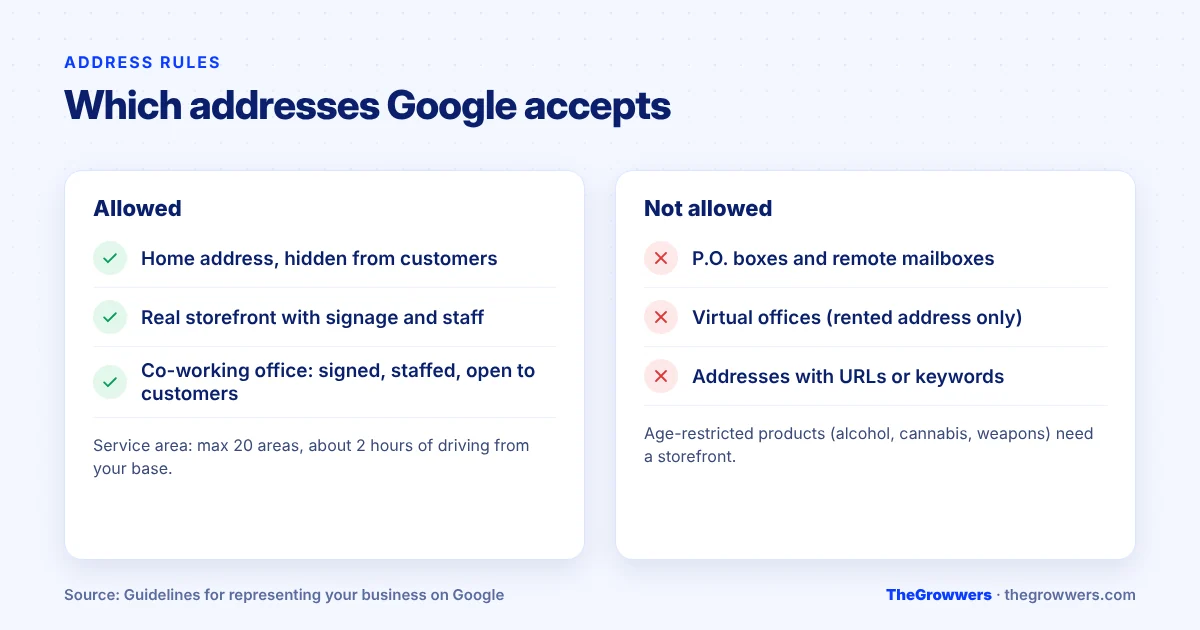
Google doesn’t allow P.O. boxes or remote mailboxes, virtual offices where you just rent an address, or co-working spaces unless the office has clear signage, receives customers during business hours, and is staffed by your own team then. Addresses also can’t contain URLs or keywords.
| Address type | Allowed? | Google’s condition |
|---|---|---|
| Home address (no customer visits) | Yes, hidden | Use it to verify, then hide it |
| P.O. box or remote mailbox | No | Not acceptable |
| Virtual office | No | Not eligible unless staffed during business hours |
| Co-working space | Only if | Clear signage, receives customers, staffed during hours |
| Real storefront | Yes | Permanent signage, staffed during stated hours |
Takeaway: if you’re paying for a “virtual office” just to get a pin in a bigger city, stop. It’s the kind of setup that gets profiles flagged.
Already suspended over an address issue? Our GBP reinstatement team handles exactly these cases, and our post on every Google Business Profile verification method explains what happens when Google asks you to re-verify.
How many service areas can you add, and how far can they reach?
You can add up to 20 service areas, set by city, postal code or other area, not by a radius. Google says the overall area shouldn’t extend farther than about 2 hours of driving time from where your business is based, though larger areas may be fine for some businesses.
And here’s the myth to drop. Our read? Listing a city does not help you rank there. Service areas tell customers where you work, they aren’t a ranking lever.
TheGrowwers recommends listing the areas you really serve, most important first, and building one strong, useful page per main area on your website. Our guide to why location pages fail shows how.
How do you set or change your service area?
Go to business.google.com, open your profile, select Edit profile, then Location. Next to “Service area,” select Edit, choose or type your areas, and save. Google says approved edits may take up to 48 hours to appear. To remove all service areas, you need a storefront address on the profile.
- Sign in and open your Business Profile.
- Select Edit profile, then Location.
- Next to Service area, select Edit.
- Pick suggested areas or type cities and postal codes (max 20).
- If you don’t serve customers at your address, clear the address.
- Select Save and give it up to 48 hours.
We’d make big changes, like switching from storefront to service-area, once and correctly instead of flipping back and forth. Every edit goes through Google’s review before it shows.
What mistakes cause problems for service-area businesses?
The common ones: showing a home address customers can’t visit, using a virtual office or mailbox, creating extra profiles for every city you serve, stuffing keywords into the address, and claiming a storefront with no signage or staff. Each one breaks a specific Google guideline.
- One profile per city. Google says a service-area business gets one profile for its central office or location, not one per town.
- Fake hybrid. Showing an address “because it ranks better,” with no sign on the door and no one there.
- Keyword addresses. “Suite 100 Best Plumber Dallas” isn’t an address.
- Oversized area. Adding cities five hours away.
Also watch what other people suggest. A public edit can flip details on your profile. We covered that in Google Business Profile suggested edits.
Final thoughts
Your profile type comes down to one question: do customers come to you, or do you go to them?
Answer it honestly. Hide the address if you travel. Show it only if there’s a real, signed, staffed place customers can walk into. And keep your service area to where you actually work.
Not sure your setup is right, or worried it’s already causing trouble? Book a free consultation and we’ll check it with you.
Frequently asked questions
Can I use my home address for Google Business Profile?
Yes, but if customers don’t visit you there, Google says to hide it. You still use the address so Google knows where the business is based, then you clear it from public view and add service areas. Google’s own example is a plumber working from a residential address.
How many service areas can I add to my Business Profile?
Up to 20. Google lets you add cities, postal codes or other areas, not a radius. The overall area should stay within about 2 hours of driving time from where your business is based, although Google says larger areas may be appropriate for some businesses.
Does adding a city to my service area help me rank there?
In our view, no. Service areas show customers where you work, and Google limits the overall area to about 2 hours of driving from where you’re based. Being visible in more places is better earned through useful website pages for the areas you really serve.
Can I list a virtual office on Google?
No, not if it’s just a rented address. Google says virtual offices aren’t eligible unless they’re staffed during business hours. Co-working spaces are only allowed with clear signage, customers received during business hours, and your own staff there during those hours.
What is a hybrid business on Google Maps?
A hybrid business serves customers at its address and also goes to them, like an auto shop with roadside service. Google lets hybrids show their storefront address, set hours when staff are available, and add a service area. The location needs permanent signage and staff.
How long does a service area change take?
Google says edits, if approved, may take up to 48 hours to show. That’s why we’d plan the change properly, especially a switch from storefront to service-area, and make it once rather than editing your location details over and over.