
On this page
- What changed with Google Business Profile suggested edits?
- What happens if you don’t respond in 4 days?
- How will Google notify you about a suggested edit?
- How to review and reject a suggested edit
- Who suggests edits to your profile anyway?
- How to protect your profile from unwanted edits
- 1. Make sure the right person gets the notifications
- 2. Keep your website in sync with your profile
- 3. Set special hours before holidays
- 4. Use your real business name
- 5. Check your profile weekly
- 6. Clean up your listings elsewhere
- Common mistakes when handling suggested edits
- Final thoughts
- Frequently asked questions
- How long do I have to reject a suggested edit on Google Business Profile?
- Can I stop people from suggesting edits to my Google Business Profile?
- Is the “Does this look right to you?” email from Google real?
- Why did Google change my business info without asking me?
- What should I do if a wrong edit was already published?
- Can suggested edits get my Google Business Profile suspended?
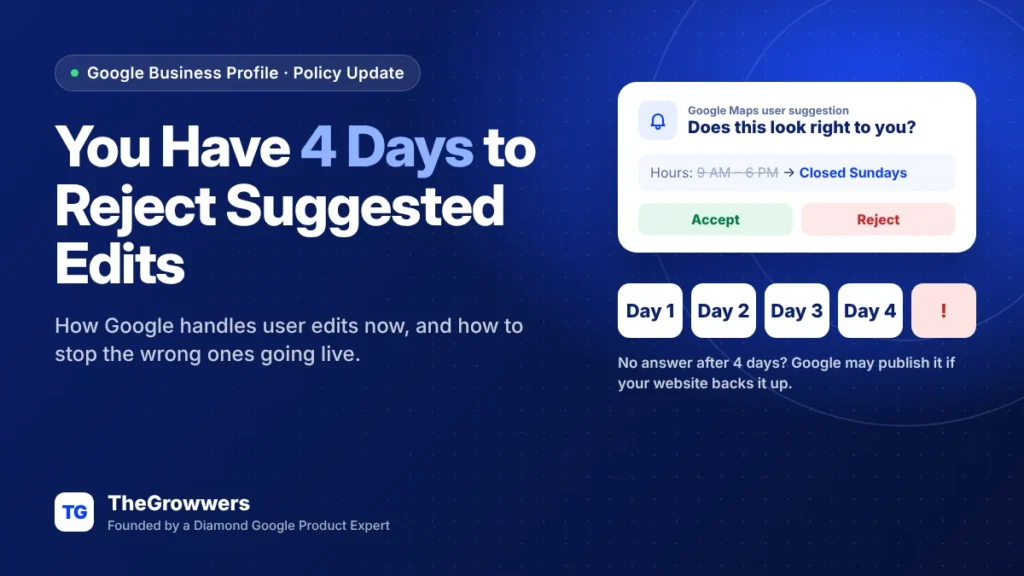
When someone suggests an edit to your Google Business Profile, Google may notify you, and you have 4 days to accept or reject it. If you don’t respond, Google may publish the change on its own, as long as other public info (like your website) seems to back it up.
Four days. That’s not a lot, especially if the notification lands in an inbox nobody checks, or goes to the old marketing person who left last year.
This guide covers what changed, how to spot suggested edits fast, how to reject the wrong ones, and how to make your profile harder to edit in the first place.
Last updated: October 2026
Key takeaways
- Google’s help page now says you have 4 days to accept or reject a suggested edit once you’re notified.
- If you ignore it, Google may publish the edit, if public info like your website supports it.
- Some edits can go live with no review at all when Google needs them to meet policy.
- Notifications come by email (“Does this look right to you?”) or inside your profile.
- Your website is the tie-breaker. Keep it matching your profile and wrong edits lose.
What changed with Google Business Profile suggested edits?
In September 2026 Google added a section to its help page called “Understand notifications about suggested edits”. The key line: “Once notified, you have 4 days to accept or reject the suggestion.” Search Engine Roundtable covered it on September 23.
Suggested edits aren’t new. Anyone using Google Maps can suggest a different phone number, new hours, a new category, even a different business name. What’s new is that Google wrote down a clear deadline, and spelled out what happens after.
Here’s the honest version of what that means: the window to fight a bad edit is now short and official. If nobody’s watching, you lose by default.
What happens if you don’t respond in 4 days?
Google may publish the suggested edit automatically, but only if other publicly available information supports it. Google gives your business website as the example.
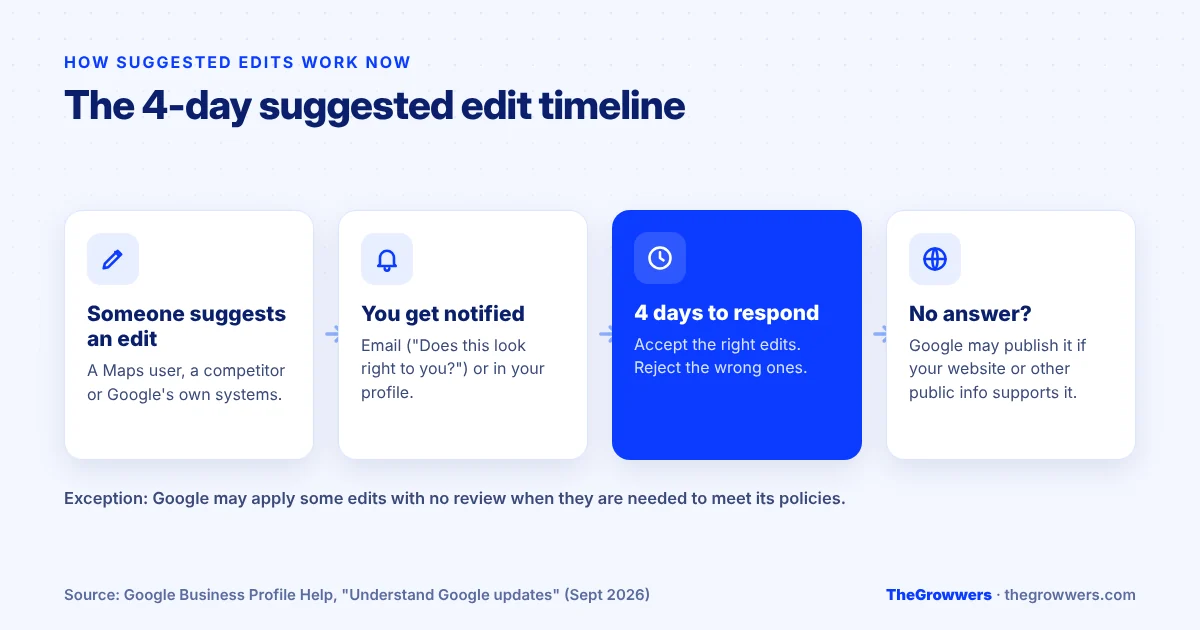
So think of it like this:
| Situation | What likely happens |
|---|---|
| You reject the edit within 4 days | Your info stays as it is |
| You accept it | The edit goes live |
| You ignore it, and your website matches your profile | The wrong edit has nothing to back it up |
| You ignore it, and your website agrees with the edit (old hours, old phone) | Google may publish it |
| The edit is needed to meet Google policy | Google may apply it with no review |
That last row is important. Google’s help page says some user edits can be applied without prior review when they’re needed to meet policy guidelines. A keyword-stuffed business name is the classic example. If your profile name doesn’t match your real-world name, don’t be surprised when someone “fixes” it for you.
How will Google notify you about a suggested edit?
Two ways, according to Google: an email, or a notification inside the product.
The email version has been spotted with the subject line “Does this look right to you?”. As reported in September, it says a Google Maps user noticed some information “might be out of date,” shows you the suggestion, and asks you to answer within 4 days with “Yes, it’s correct” or “No, it’s incorrect.”
Inside your profile, Google marks info it has changed in blue text, and shows a notice at the top when there are Google updates to look at. Black (or white, in dark mode) text means Google hasn’t touched it.
Real talk, though. An email that says “Does this look right to you?” looks a lot like phishing. Plenty of owners delete it without opening it. Before clicking anything, check it’s really from Google, or skip the email entirely and open your profile directly from Google Search.
How to review and reject a suggested edit
- Open your profile. Search your business name on Google while signed in to the owner account, or search “my business.”
- Look for the updates notice at the top of your profile, and any info shown in blue.
- Check each suggested change against reality. Is that really your new phone number? Did your hours change?
- Accept the right ones, reject the wrong ones. Do it within the 4 days.
- If a wrong edit already went live, edit the field back yourself. Google says you can edit your profile directly anytime.
- Then fix the source. Update your website and major directories so they match what’s on your profile. Otherwise the same edit will come back.
Who suggests edits to your profile anyway?
Mostly regular people. A customer who saw you were closed on a holiday. Someone who called an old number. Google’s own systems also pull info from your website and other sources.
But not always innocent. Competitors and spammers suggest edits too: swapping in a different phone number, moving the pin, adding a “permanently closed” label, changing your category. We covered the darker side of this in can the “Suggest an edit” option lead to a GBP suspension?
The 4-day window is actually a good thing here. It gives you a clear chance to block those, as long as someone’s watching.
How to protect your profile from unwanted edits
You can’t turn suggested edits off. Nobody can. What you can do is make the wrong ones lose.
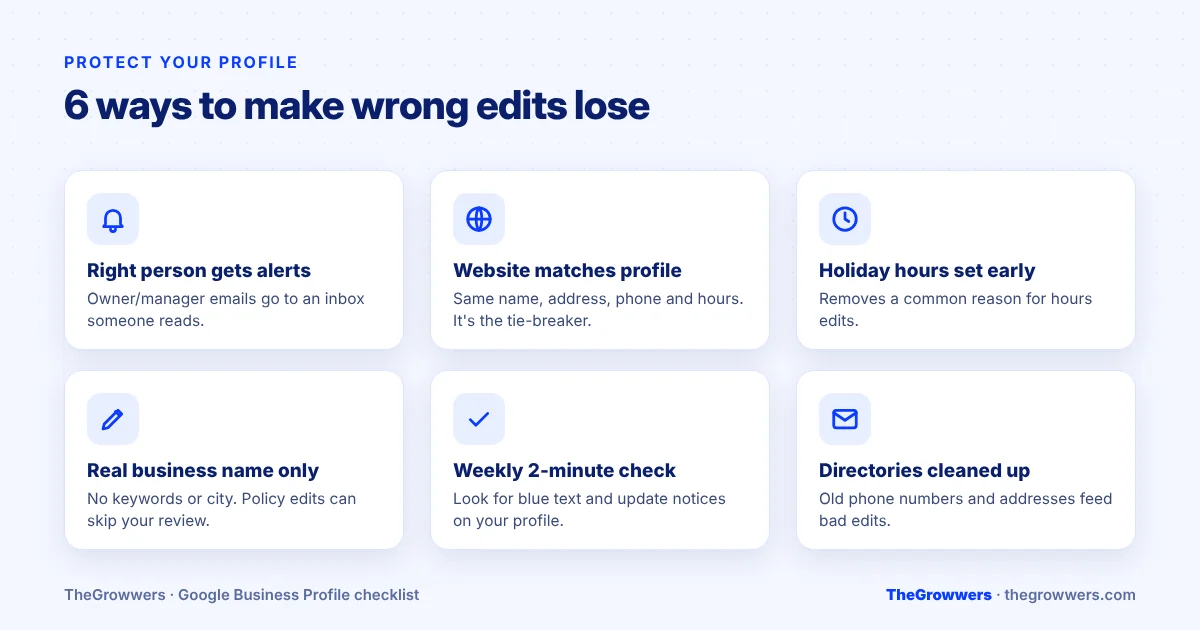
1. Make sure the right person gets the notifications
Check who the owners and managers are on your profile, and which email gets notifications. If it’s an ex-employee or an inbox nobody reads, fix that today.
2. Keep your website in sync with your profile
Your website is the tie-breaker Google mentions. Same business name, same address format, same phone, same hours. When you update hours on your profile, update the website the same day.
3. Set special hours before holidays
Hours edits often come from someone who showed up to a closed business on a holiday. Set special hours ahead of time and you remove the reason for the edit.
4. Use your real business name
No extra keywords, no city names, no slogans. A name that doesn’t match your signage invites edits, and those edits may skip your review completely.
5. Check your profile weekly
Two minutes a week. Search your business, look for blue text, look for anything odd. That’s a 4-day window you’ll never miss.
6. Clean up your listings elsewhere
Old addresses and phone numbers on directories feed bad edits. Fix the big ones (Yelp, Apple Maps, Bing Places, Facebook, and the ones in your industry).
Common mistakes when handling suggested edits
- Accepting everything to make the notice go away. Read them.
- Rejecting correct edits. If you did change your hours and forgot to update Google, the edit is right. Rejecting it just leaves wrong info up.
- Editing back and forth over and over. Lots of rapid changes to name, address or category is the kind of thing that gets profiles reviewed. Make one clean correction, fix the source, move on.
- Assuming “permanently closed” can’t happen to you. It can. It’s one of the most damaging edits, and it’s exactly why someone needs to be watching.
Final thoughts
The 4-day rule for Google Business Profile suggested edits is simple: someone suggests a change, you get notified, and you’ve got four days to say yes or no. After that, your website decides.
So make sure notifications go to someone who actually reads them, keep your website matching your profile, and use your real name. Do that and most bad edits die on their own.
If your profile has already been changed, suspended, or you’re not sure who even owns it, our local SEO team can sort it out. Book a free consultation and we’ll take a look.
Frequently asked questions
How long do I have to reject a suggested edit on Google Business Profile?
Four days. Google’s help page says that once you’re notified about a suggested edit, you have 4 days to accept or reject it. After that, Google may publish the edit automatically if other public information, such as your business website, supports the change.
Can I stop people from suggesting edits to my Google Business Profile?
No. Anyone using Google Maps or Search can suggest an edit, and owners can’t turn this off. You can limit the damage by keeping your website and directory listings matching your profile, using your real business name, and checking your profile regularly for updates shown in blue.
Is the “Does this look right to you?” email from Google real?
Google does send emails with that subject line about suggested edits to your profile, asking you to respond within 4 days. Because scammers copy Google’s emails, it’s safest to skip the links and open your Business Profile directly from Google Search to review the change.
Why did Google change my business info without asking me?
Google may apply some suggested edits without review when they’re needed to meet its policies, for example a business name stuffed with keywords. It can also publish an edit you didn’t respond to within 4 days if your website or other public info supports it. Updated info shows in blue in your profile.
What should I do if a wrong edit was already published?
Edit the field back to the correct info in your profile, then update your website and major directory listings so they match. If the wrong info stays on other sites, the same edit is likely to come back. Avoid making lots of rapid changes, one clean correction is better.
Can suggested edits get my Google Business Profile suspended?
A suggested edit on its own isn’t a suspension. But edits that change your name, address or category, plus lots of back-and-forth changes, can draw extra review from Google. If your profile was suspended after edits, a careful reinstatement request is the next step.